Camera Scanner54.0
Publisher Description
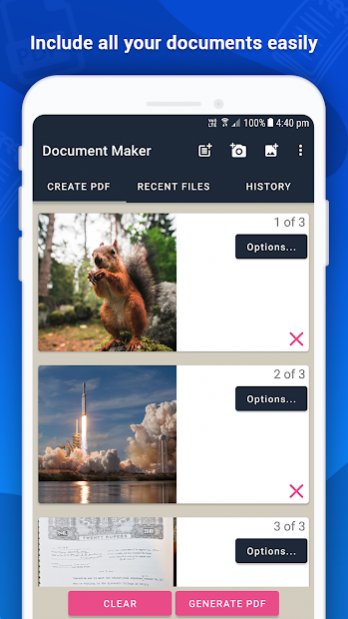
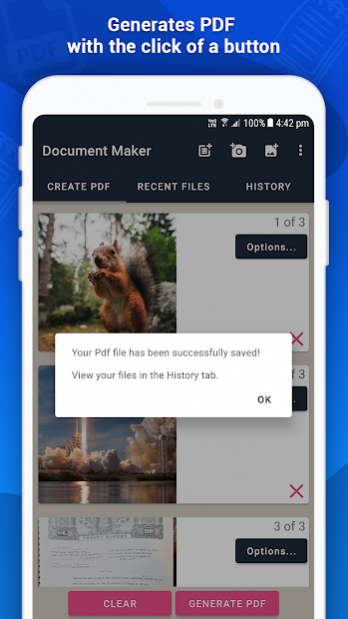
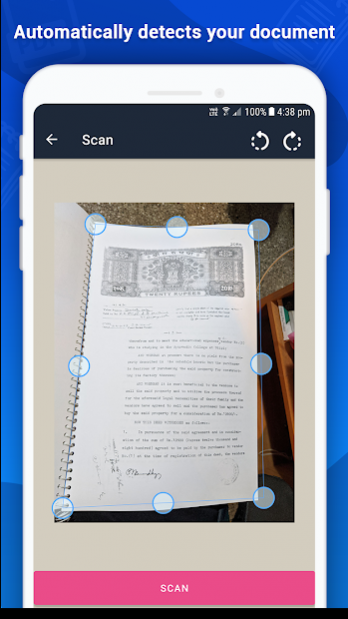
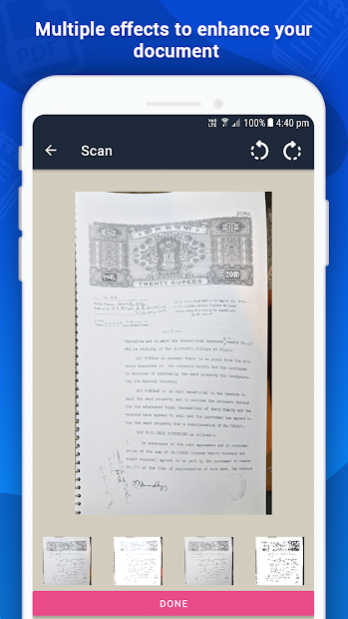
CamScanner lets you scan and create PDF files on your device using photos and camera. You can click or scan your document from your camera or choose photos from gallery. PDF generation is completely offline and requires no internet connection. It saves your PDF file history and the list of recently scanned documents. With a light clean and easy to use interface, using CamScanner is a breeze. Along with scanning, features like cropping and filters improve the visibility of your documents.
CamScanner is extremely convenient and helps you scan and digitize all your documents, receipts, notes, photos, discussions and cards. You can also share your documents as image or as pdf easily. It is literally a scanner in your pocket.
CamScanner is not just easy to use but also completely secure. The documents scanned are not uploaded to any server for any processing. Document recognition in the photos after scanning is done on the device.
How to Use?
- Use options in the top bar to scan, click or chose photos from gallery
- The “Create PDF” tab shows the documents/scans that will be included in the PDF
- The “Recent Files” tab shows the recently used documents/scans
- The “History” tab shows recently generated PDF files
- In the “Create PDF” tab, use the options button for additional options
- “Generate PDF” button generates PDF file using the files in the first tab
Features:
- No subscription charges - unlimited scans, shares and document creation, absolutely free!
- Works completely offline - no online servers
- Choose document from your gallery or scan/click photos from camera
- Maintains file history
- Open the PDF with any PDF viewer
- High quality image option for PDF
- Convert multiple images into single PDF
- Easily share your PDF file via email
- Saves your document in process, so you can start over from where you left
- Rotate/Enhance the visibility of your documents after scanning using built in effects
- Select multiple images from your gallery (using a supported like Google Photos)
- Cloud Backup(supported by Dropbox)
- Multiple filters
About Camera Scanner
The company that develops Camera Scanner is DroidVeda LLP. The latest version released by its developer is 54.0.
To install Camera Scanner on your Android device, just click the green Continue To App button above to start the installation process. The app is listed on our website since 2022-04-27 and was downloaded 5 times. We have already checked if the download link is safe, however for your own protection we recommend that you scan the downloaded app with your antivirus. Your antivirus may detect the Camera Scanner as malware as malware if the download link to photo.pdf.maker is broken.
How to install Camera Scanner on your Android device:
- Click on the Continue To App button on our website. This will redirect you to Google Play.
- Once the Camera Scanner is shown in the Google Play listing of your Android device, you can start its download and installation. Tap on the Install button located below the search bar and to the right of the app icon.
- A pop-up window with the permissions required by Camera Scanner will be shown. Click on Accept to continue the process.
- Camera Scanner will be downloaded onto your device, displaying a progress. Once the download completes, the installation will start and you'll get a notification after the installation is finished.
Program Details
System requirements
Download information
Pricing
Version History
version 54.0
posted on 2022-04-27
Internal updates.
Redesigned quiz section.
Fixed issues with Dropbox sync
version 52.0
posted on 2022-04-25
Internal updates and defect fixes.
version 49.0
posted on 2021-08-17
Internal updates and defect fixes to improve stability.
Relocated the filter option
version 47.0
posted on 2021-08-11
New scan screen that helps in quick scanning
New filters
Option to select image quality in PDF output
More stability when handling large PDF files
version 45.0
posted on 2021-08-03
New feature - check for offers and unlock new features
Internal updates and defect fixes
version 43.0
posted on 2021-06-22
UI updates for better view of documents.
Crash fixes.
version 37.0
posted on 2021-06-17
Fixed issue : Empty Screen when using "pdf" option on new Document.
version 33.0
posted on 2021-02-24
Internal updates and multiple crash fixes
version 29.0
posted on 2021-02-12
Fixed issues with clicking images on newer versions of Android
version 27.0
posted on 2020-11-18
Fixed issue with reverse ordering of scans.
Reduced frequency of full screen ads.
